
What Is a Web Application? A Plain-Language Guide for Business Owners
Not sure if you need a website or a web app? This plain-language guide explains the difference and helps business owners plan and budget smarter.
WEB DEVELOPMENTCUSTOM SOFTWARE DEVELOPMENTWEBSITE DEVELOPMENT
Srushti M.
7/2/20269 min read
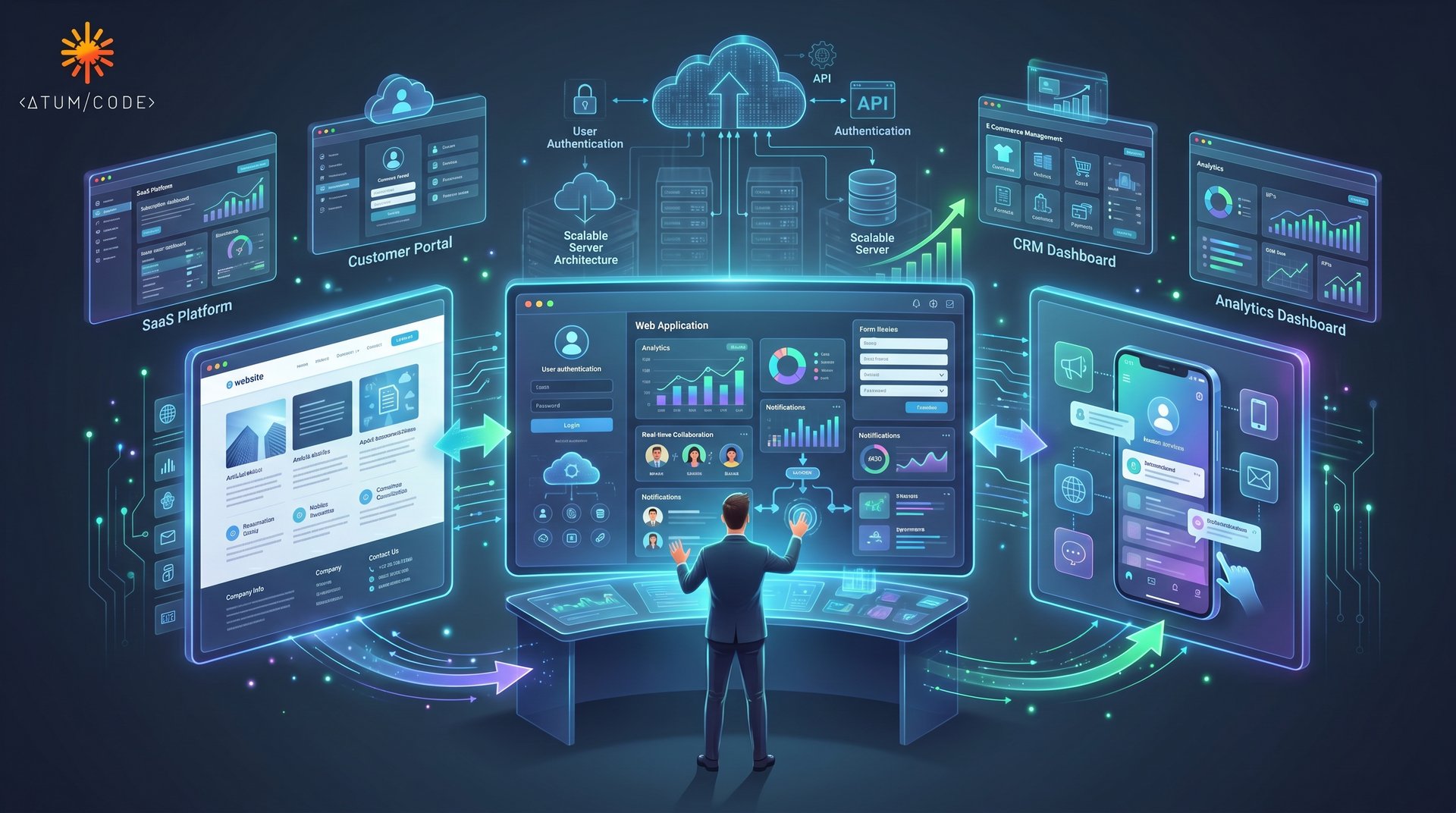
The Question Most Business Owners Are Afraid to Ask
"Do I need a website or a web application?" It sounds like a simple question. But in our experience, most business owners — even technically savvy ones — aren't entirely sure what the difference is. And more importantly, they don't know how much that distinction matters when it comes to budgeting, planning timelines, and choosing a development partner.
This confusion has real consequences. Businesses commission a "website" when they actually need a web app — and end up with a solution that can't do what they need it to do. Or they're quoted for a complex web application when a well-built website would have done the job at a fraction of the cost.
Getting clear on this saves you money, time, and significant frustration.
This guide covers what web applications actually are, how they differ from static websites and native mobile apps, the four most common categories businesses commission, and the development investment each typically involves. By the end, you'll have a clear framework for evaluating what your business actually needs — and the vocabulary to have an informed conversation with any development team.
Website vs. Web Application: What's Actually the Difference?
This is where most explanations get unnecessarily technical. Here's a useful way to think about it.
A website primarily delivers information. It's largely static — visitors read content, view images, and perhaps fill out a contact form. The content doesn't change based on who's looking at it or what they do. Think of a restaurant's website, a law firm's homepage, or a portfolio site. The information flows in one direction: from the site to the visitor.
A web application does something. It responds to user actions, processes data, stores and retrieves information, and delivers a personalized experience based on who the user is and what they've done. The interaction flows in both directions.
The clearest way to illustrate the distinction:
| Feature | Website | Web Application
| Primary purpose | Inform | Enable actions and interactions
| User accounts/login | Rarely | Almost always
| Data storage | Minimal or none | Central to functionality
| Personalization | Limited | Core to the experience
| Real-time updates | Uncommon | Common
| Business logic | Minimal | Extensive
| Examples | Company homepage, | Online banking, project
blog, brochure site management tool, customer portal
In practice, the line between the two continues to blur. Many modern websites include web app elements — a booking form with real-time availability, a personalized content feed, an e-commerce checkout. What matters for planning purposes is understanding which elements your project requires, because those elements drive both complexity and cost.
What About Mobile Apps? Are They the Same Thing?
No — and this distinction matters when making development decisions.
A mobile app is a software application downloaded and installed on a device (typically from the App Store or Google Play). It's built specifically for mobile operating systems — iOS or Android — and can access native device features like the camera, GPS, biometrics, and offline storage.
A web application runs in a browser — on desktop, tablet, or mobile — and doesn't require installation. Users access it via a URL, just like any website.
There's also a middle category worth knowing about: Progressive Web Apps (PWAs). These are web applications built to behave like native mobile apps — they can be added to a home screen, work offline in some capacity, and receive push notifications — but are fundamentally delivered through the browser. For many businesses, a well-built PWA can deliver a near-native mobile experience without the cost and complexity of building separate iOS and Android applications.
A quick comparison to guide decisions:
| | Website | Web App | Mobile App | PWA
| Browser-based | Yes | Yes | No | Yes
| Requires installation | No | No | Yes | Optional
| Access device features | Limited | Limited | Full | Partial
| Works offline | No | No | Yes | Partial
| Development cost | Low | Medium–High | High | Medium
| Separate iOS/Android builds | No | No | Yes | No
The Four Categories of Web Applications Businesses Commission
When business owners commission web application development, the request almost always falls into one of four categories. Understanding these helps you align your expectations — and your budget — with the scope of work involved.
1. SaaS Platforms (Software as a Service)
SaaS platforms are software products delivered over the internet on a subscription basis. If you're building a product that other businesses or consumers will pay to use — a project management tool, a booking system, a financial dashboard, an HR platform — you're building a SaaS application.
SaaS platforms are typically the most complex and resource-intensive web applications to build. They require:
Multi-user accounts with role-based permissions
Subscription management and payment processing
Scalable infrastructure that grows with user demand
Admin dashboards, analytics, and reporting
Security architecture appropriate for handling customer data
Onboarding flows and ongoing customer experience design
Development investment: SaaS platforms are significant undertakings. Depending on scope, a well-built MVP (Minimum Viable Product) typically represents months of development and substantial investment. This is the category where cutting corners on architecture decisions early creates the most expensive problems later.
2. Internal Business Tools
These are web applications built for internal use — tools your team uses to run operations, manage workflows, process data, or replace manual processes.
Common examples: custom CRMs, inventory management dashboards, field service management tools, reporting systems that aggregate data from multiple sources, and workflow automation platforms tailored to specific internal processes.
Internal tools are often underestimated in value. A well-built internal web application can dramatically reduce manual labor, eliminate errors that occur in spreadsheet-based workflows, and give leadership real-time visibility into operations they previously managed through weekly reports.
Development investment: Internal tools vary widely by complexity. A focused tool solving a specific workflow problem might be built relatively quickly. An integrated operations platform replacing multiple systems is a larger undertaking. The key question is: what does the problem cost the business today, and what does the solution need to do?
3. Customer Portals
Customer portals are web applications that give your clients a dedicated, personalized interface for interacting with your business. Rather than managing relationships through email and phone calls, a portal gives customers self-service access to what they need.
Typical features include:
Account management and profile settings
Order tracking, history, and documentation
Support ticket submission and status tracking
Invoice access and payment processing
Progress updates for project-based businesses
Secure document exchange
Customer portals reduce support overhead, improve client satisfaction, and create a professional, modern service experience. For businesses managing dozens or hundreds of active client relationships, they represent both an operational efficiency and a competitive differentiator.
Development investment: A focused customer portal with well-defined features can be scoped and delivered in a reasonable timeframe. Complexity scales with integration requirements — particularly if the portal needs to connect to your CRM, accounting software, or project management systems.
4. E-Commerce Applications
E-commerce applications go well beyond a simple product catalog. At the application layer, this means shopping cart logic, payment processing, inventory management, order fulfillment workflows, customer accounts, reviews, personalized recommendations, and promotional logic — all functioning reliably at the same time.
There's an important distinction to make here between platform-based e-commerce (using Shopify, WooCommerce, or similar tools) and custom e-commerce applications. For many businesses, a platform solution is the right answer — faster to deploy, lower upfront cost, and adequate for standard requirements.
Custom e-commerce development makes sense when your business has requirements that standard platforms handle poorly: complex pricing logic, industry-specific compliance, unique fulfillment workflows, deep integration with proprietary systems, or scale that demands infrastructure control.
Development investment: Platform-based setups are significantly more affordable for standard needs. Custom e-commerce applications represent a larger investment but can deliver a competitive advantage when requirements are genuinely complex.
Key Questions to Ask Before Starting Development
Before commissioning a web application, having clear answers to the following questions will dramatically improve planning accuracy and partner conversations:
Who are the users, and what are they trying to accomplish? (Customers? Internal staff? Both?)
Does it require user accounts and authentication?
What data does it need to store, process, or display?
What existing systems does it need to integrate with? (CRM, ERP, payment gateways, third-party APIs)
How many users do you expect at launch? In two years?
What does "done" look like for version one? (What's essential vs. what's nice to have?)
Who will maintain and update it after launch?
The clearer your answers, the more accurate the estimates you'll receive — and the less likely you are to experience scope creep and budget surprises.
Common Mistakes Business Owners Make When Commissioning Web Apps
Being aware of these pitfalls before you start can save significant time and money:
Treating an MVP like a final product. The first version should do fewer things better, not more things adequately.
Underestimating integration complexity. Connecting your web app to existing systems is almost always more complicated than it sounds.
Skipping discovery and planning. Rushing to development before requirements are properly defined leads to expensive rebuilds.
Choosing a partner on price alone. The cheapest quote rarely accounts for the same scope as a thorough one.
Neglecting post-launch planning. Web applications require ongoing maintenance, security updates, and iteration. This is a product, not a project.
Expert Insights from AtumCode
After working across dozens of web application projects — from early-stage startup products to enterprise-grade internal platforms — our team at AtumCode has developed a clear picture of where these projects succeed and where they struggle.
Requirements clarity is the single biggest predictor of project success. Teams that invest time upfront in clearly defining what the application needs to do — and explicitly documenting what it doesn't need to do in version one — consistently deliver on budget and on time. Teams that start development with loosely defined requirements consistently experience scope creep, timeline delays, and rework.
The MVP discipline is harder than it sounds. Business owners naturally want their product to be complete. But a focused MVP — an application that does the essential things extremely well — validates your assumptions, gets to market faster, and conserves budget for iteration based on real user feedback. We regularly see the most successful products launch with roughly half the features their owners originally planned.
Integration complexity is where cost surprises hide. "Can it connect to our existing CRM?" is a question that sounds simple and can represent weeks of additional development. Before finalizing any scope, integration requirements deserve detailed technical exploration — what APIs are available, what data needs to flow in which direction, what authentication protocols are in use.
Technology choices should follow requirements, not trends. We see businesses requesting specific frameworks or technologies because they read about them — sometimes wisely, sometimes not. The right technical stack is the one best suited to your specific requirements, your team's ability to maintain it, and your performance needs. There's no universally "best" choice.
Internal tools often deliver the fastest, most measurable ROI. In our experience, a well-scoped internal tool that eliminates a time-consuming manual process or consolidates fragmented data can show return on investment faster than almost any other digital investment — precisely because the users and use cases are well defined from day one.
What to Expect in the Coming Years
The web application landscape is evolving quickly, and several trends are worth understanding as you plan.
AI is moving from a feature to a foundation. Intelligent automation, natural language interfaces, predictive analytics, and AI-assisted workflows are increasingly embedded in the web applications businesses rely on. This isn't a future consideration — the businesses commissioning these capabilities now are establishing competitive advantages that will be difficult to close in two to three years.
Low-code and no-code platforms are expanding the viable scope of internal tools. For certain categories of internal applications, no-code and low-code platforms are genuinely capable and cost-effective. Understanding where these platforms are sufficient — and where custom development is the right call — is increasingly important for making smart build decisions.
The line between web and native mobile continues to blur. Progressive Web Apps continue to mature, and the gap in capability between a well-built PWA and a native mobile app is narrowing for most use cases. Businesses that would have automatically required two separate native apps five years ago now have more flexible, cost-effective options.
API-first architecture is becoming the standard. Web applications built with clean, well-documented APIs are significantly easier to extend, integrate, and evolve. This architectural discipline is no longer optional for serious applications — it's a foundational expectation.
Security requirements continue to tighten. As web applications handle increasingly sensitive data, compliance requirements (GDPR, SOC 2, HIPAA, and others depending on industry) are increasingly relevant in development decisions. Security and compliance are no longer afterthoughts to address post-launch — they need to be built in from the start.
Conclusion: Clarity Is the Most Valuable Thing You Can Bring to a Web App Project
Web applications represent some of the most powerful investments a business can make in its own operations and customer experience. But the gap between a well-scoped, well-built web application and a poorly planned one can mean the difference between a tool your team loves and an expensive system they work around.
Here's what to take away from this guide:
Know what you're building. If it requires users to log in, store data, or take interactive actions — it's a web application, not a website.
Match your solution to your category. SaaS, internal tool, customer portal, or e-commerce — each has different drivers of complexity and cost.
Invest in requirements clarity before any code is written. Every dollar spent in planning saves several in development.
Plan for the product, not just the project. A web application isn't a one-time delivery — it's a living product that will evolve.
Choose a development partner who asks hard questions upfront. The best partners challenge assumptions before they accept a brief, not after they've started building.
Need Help Planning or Building Your Web Application?
Whether you're planning a new project, modernizing an existing solution, or exploring the best technology approach for your business, AtumCode Solutions can help you make informed decisions and build scalable digital products.
Contact our team for a free consultation and discover the most effective path forward.
AtumCode Solutions specializes in Mobile App Development, Web Development, Custom Software Development, UI/UX Design, Product Development, AI Solutions, Cloud Solutions, and Digital Transformation. We work with startups, growing businesses, and enterprise teams to build digital products that perform.
Connect With Us
Your partner in custom software solutions and design.
Innovate Today, Reach Out!
contact@atumcode.com
+1 202 292 4041
+91 801 091 1708
© 2026. All rights reserved.
Warje, Pune 411058, Maharashtra, India

AtumCode Solutions Pvt. Ltd.
Beyond Code, Building Vision!
D&B D-U-N-S Number : 76-637-9675